
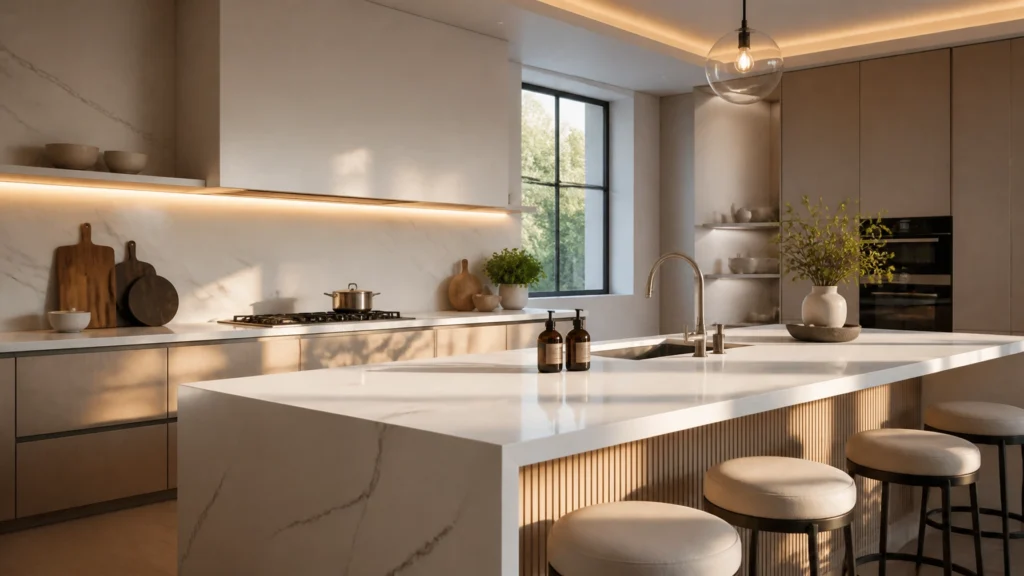
Have you ever spent three hours tweaking a kitchen render only for the client to ask for a “slightly different” wood grain?
It depends on the tools you’re using, but for most designers, that request usually means a frustrating trip back to your CAD software, a re-export, and another long wait for the rendering engine to catch up. The longer (and more useful) answer is below, but the reality of 2026 is clear: general AI tools are great for inspiration, but specialized tools are the ones closing the deals.
Traditional architectural visualization has always been a bottleneck. Whether you are using SketchUp, Archicad, or Winner, the leap from a 3D model to a photorealistic rendering used to require expensive hardware and a lot of patience.
Today, AI interior rendering has changed the game. However, a new divide has emerged between “general” AI enhancers and specialized platforms built for the Kitchen, Bedroom, and Bathroom (KBB) industry.
Why General AI Tools are Falling Short for KBB
General-purpose AI tools (like MyArchitectAI or Magnific) are impressive. They can take a blurry sketch and turn it into a beautiful image in seconds. But for a professional kitchen designer or wardrobe manufacturer, “beautiful” isn’t enough, it has to be accurate.
- Spatial Logic: General tools often struggle with the technical constraints of cabinetry and appliances.
- Material Precision: When you specify a “Matte Graphite” finish, a general AI might give you “Glossy Black” because it looks “better” to the algorithm.
- Workflow Breaks: Most general tools are one-way streets. Once you enhance an image, making a specific change to the cabinet handles often requires starting the whole process over.
This is why specialized AI rendering platforms like KBB Render are becoming the industry standard. We don’t just “beautify” an image; we understand the industry-specific geometry of a kitchen or a bathroom.
The “No-CAD-Return” Workflow: A Game Changer
The biggest drain on a designer’s time isn’t the first render, it’s the fifteenth.
In a traditional workflow, every minor client edit requires you to return to your CAD software. With KBB Render, we’ve pioneered the ‘No-CAD-return’ workflow.
Once you upload your base design from SketchUp, Winner, or Virtual Worlds, you stay inside the KBB Render environment to iterate.
- Edit materials instantly: Swap a marble splashback for subway tiles in one click.
- Adjust textures and colors: Change the mood of the room without re-exporting.
- Add life to scenes: Drag and drop decor, plants, or even a family pet to make the space feel like a home.
Basically, you focus on the creativity while the AI handles the technical heavy lifting. If you’re new to this, our KBB Render 101 guide covers how to master this transition.
Specialized KBB Features vs. General AI
When comparing specialized tools to general architectural visualization software, the differences are often in the details that matter to your clients.
| Feature | General AI Tools | KBB Render |
|---|---|---|
| Wardrobe Internals | Generic storage | Automatic shelf & rail layouts |
| Material Accuracy | Artistic interpretation | Stable Precision control |
| Output Quality | Usually 4K max | Native 8K Upscaling |
| Variations | One at a time | Batch Rendering (6 styles) |
| Workflow | Post-process only | End-to-end design & style |
Automatic Wardrobe Interior Generation
One of our most loved features is the ability to intelligently style wardrobe interiors. Modeling every shelf, hanging rail, and drawer in CAD is a chore. KBB Render can automatically generate these internal storage layouts, helping you show the full functionality of a fitted bedroom design without the manual labor.

Mastering the Look: Precision vs. Realism
In 2026, designers need to switch between “vibe” and “specification” constantly. This is why we introduced two core modes to our engine:
- Stable Precision: This is for when the layout is final. It ensures that the exact geometry of your CAD model is preserved, making it perfect for kitchen visualisation where every millimeter counts.
- Creative Realism: Perfect for the early stages of a project. It gives the AI more “artistic flair” to suggest lighting setups or material combinations that you might not have considered.
Following the above, you can also use Inspiration Transfer. If your client has a specific Pinterest board or a photo of a high-end showroom they love, you can upload that as a reference. KBB Render will apply that specific lighting and “feel” to your design while keeping your structural layout intact.
The Power of Batch Rendering
Why present one option when you can present six?
With our Batch Rendering feature, you can generate six different variations of a scene in a single click. This is incredibly powerful for bathroom renders where you might want to show different tile orientations or lighting moods (e.g., bright morning light vs. moody evening ambiance).

Presenting multiple options doesn’t just make you look more professional, it helps clients make decisions faster. They can see the “what if” scenarios instantly, reducing the back-and-forth emails that stall projects.
Bringing the Showroom Experience to the Screen
For furniture manufacturers and showrooms, the goal is to make the digital experience as close to reality as possible.
This is where Native 8K Upscaling becomes critical. While most web-based tools stop at 4K, our 8K output is designed for large-format showroom displays and high-end print marketing. Every grain of wood and every reflection in the chrome tap is crisp and clear.
We understand that a photorealistic rendering is often the only thing standing between a “maybe” and a signed contract. By focusing specifically on the KBB industry, we ensure that the lighting, textures, and even the way light hits the inside of a cupboard are rendered with absolute fidelity.
Summarising…
The era of waiting hours for a single interior design rendering is over. In 2026, the choice isn’t just about using AI, it’s about using the right AI.
Is KBB Render the right tool for you?
If you are a professional in the kitchen, bedroom, or bathroom industry who needs speed, accuracy, and the ability to edit on the fly, then yes.
While general tools like MyArchitectAI serve a purpose for broad architectural concepts, KBB Render is the specialized toolkit designed to help you sell more projects and spend less time behind a rendering progress bar.
Ready to see the difference?
- Explore our latest pricing plans.
- Book a live demo to see the ‘No-CAD-return’ workflow in action.
- Start your journey with our AI interior rendering tools.