
NEW AI DESIGN DOCUMENTATION SUITE
Create Professional Interior Design Documentation with AI
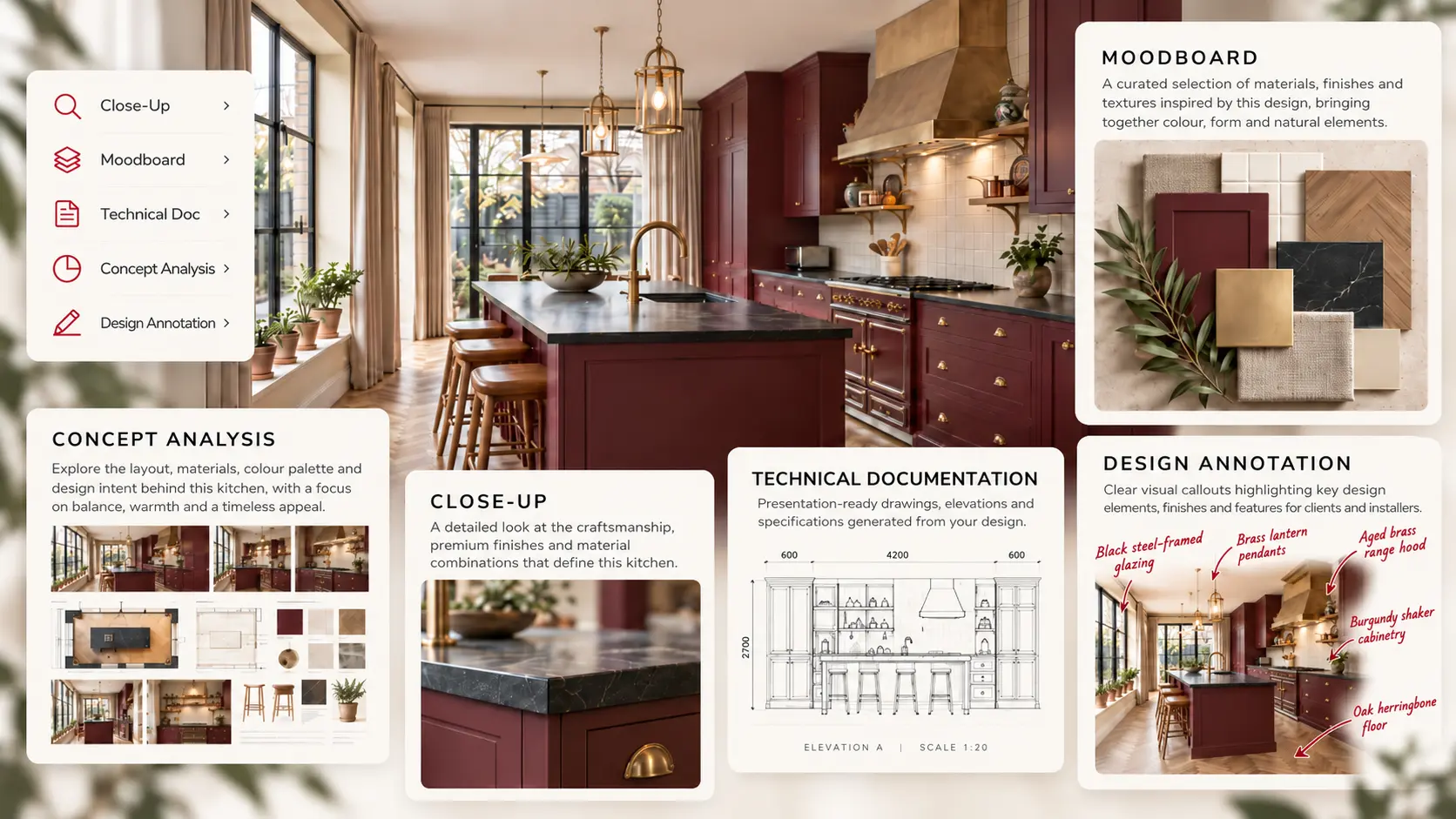
Transform a single interior render into complete professional documentation. Generate moodboards, technical documentation, close-up material details, concept analysis and design annotations in seconds, without recreating your project.
- Used by Interior Designers
- AI-Powered Documentation
- Client Presentation Ready
- Save Hours Every Project

What is AI Design Documentation?
Stop creating presentation boards manually. KBB Render Schematics transforms a single render into everything you need to present, explain and document your project professionally. Whether you're preparing a client presentation, technical pack or showroom proposal, AI automatically generates premium documentation ready to share.
Present Every Design
Generate beautiful moodboards, material boards and concept presentations that help clients visualise every detail.
Document Every Detail
Create technical documentation, annotations and specification boards without manually rebuilding your project.
Deliver Projects Faster
Reduce repetitive documentation work and spend more time designing while AI prepares professional presentation assets.
HOW IT WORKS
From Idea to Documentation in 3 Simple Steps
Create design-led visuals, from inspiring moodboards and detailed close-ups to polished documentation packs, that bring your ideas to life and help turn prospects into clients.
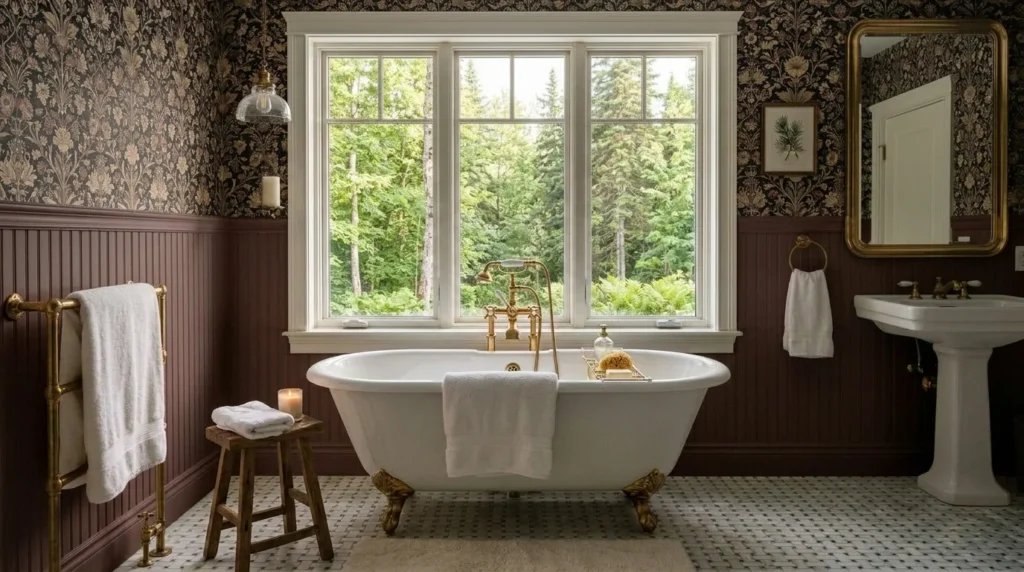
1. Upload your render
Upload your generated photorealistic render or reference image.
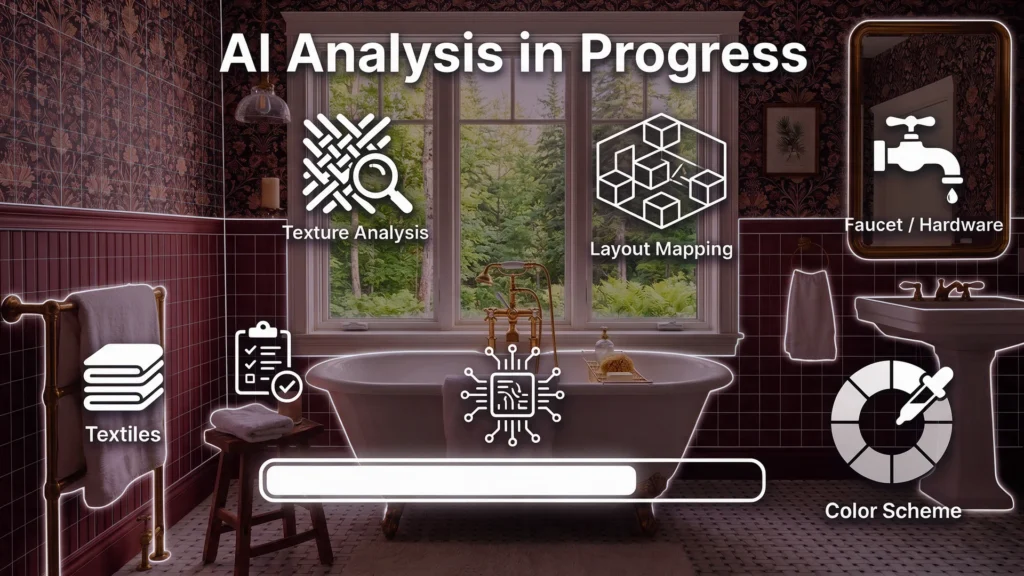
2. AI analyses your project
AI detects materials, layouts, furniture, finishes and architectural details.
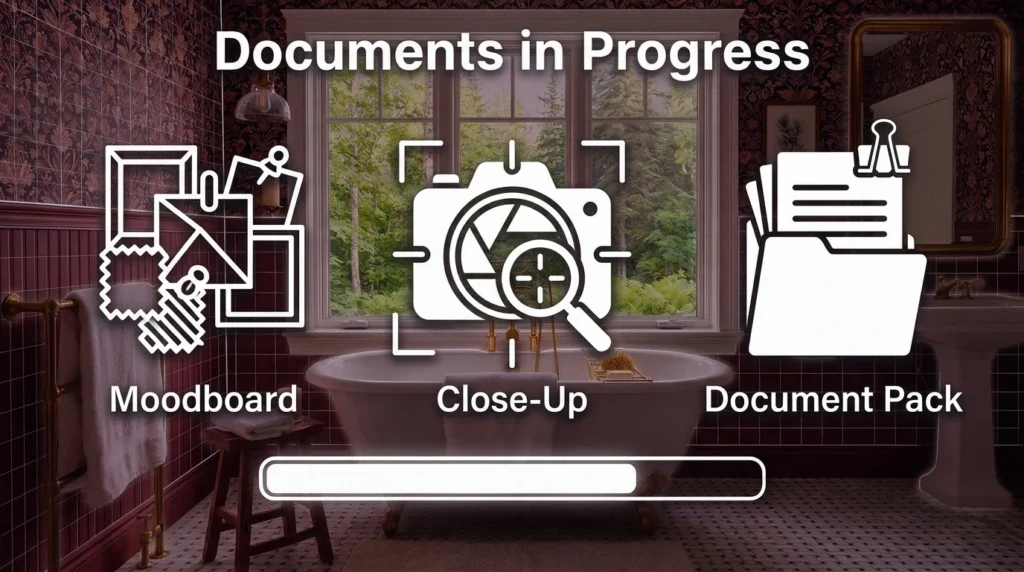
3. Generate documentation
Choose the documentation you need and generate presentation-ready assets within seconds.
5 Powerful Documentation Tools
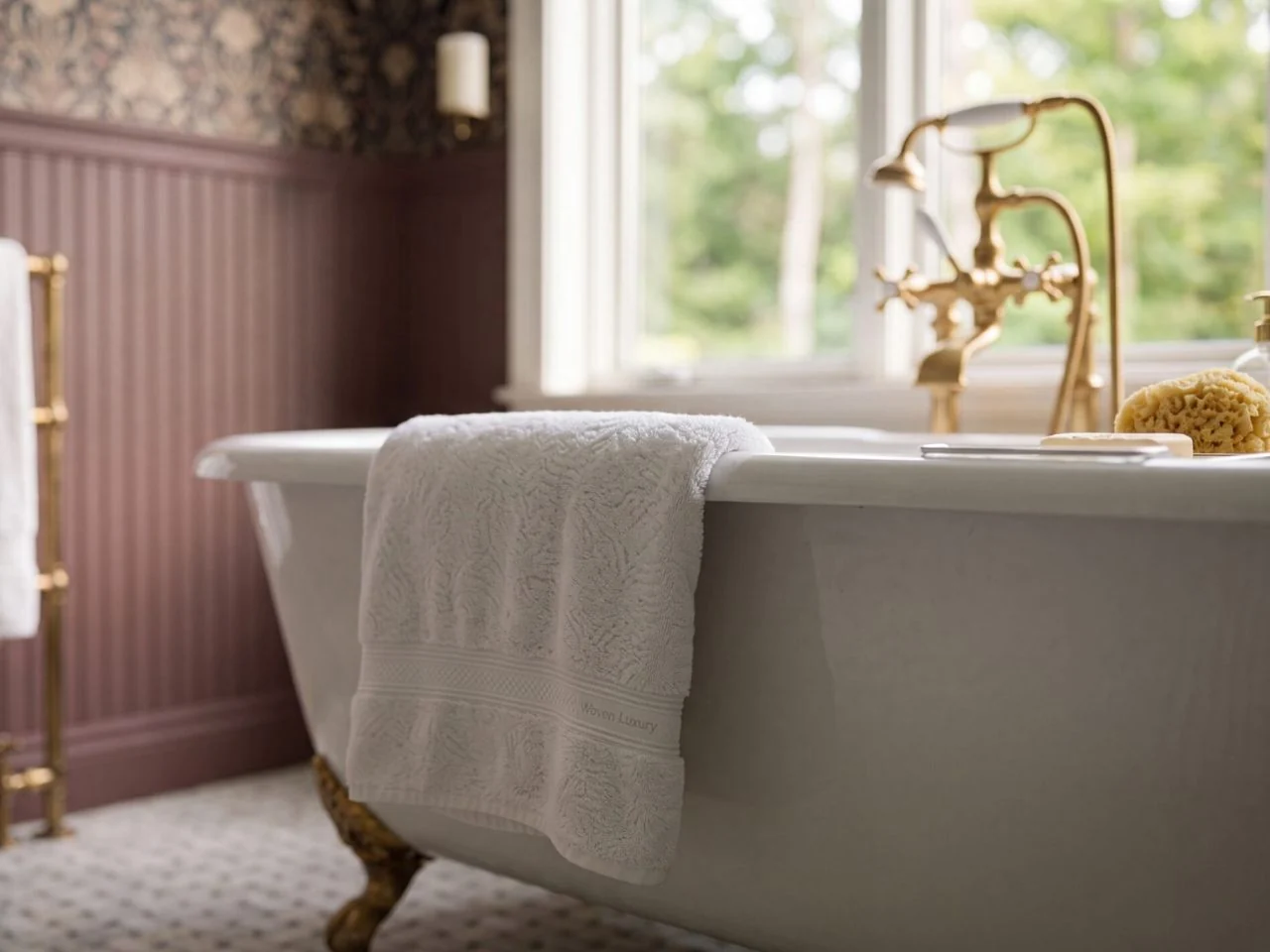
Close-Up
Create ultra-realistic close-up images of materials, worktops, cabinetry and furniture while preserving the original design.
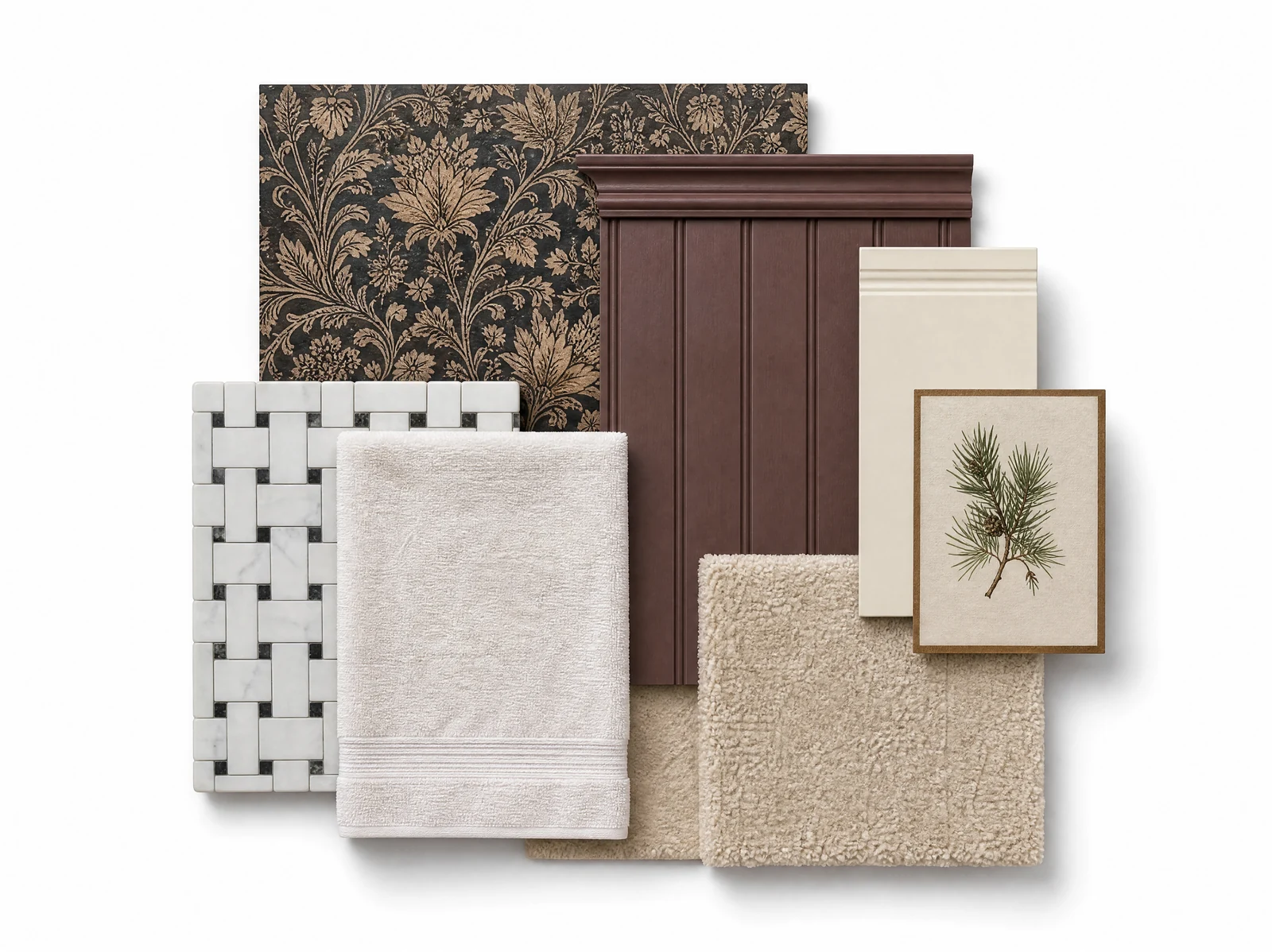
Moodboard
Generate premium material moodboards directly from your render to present finishes, colours and textures professionally.
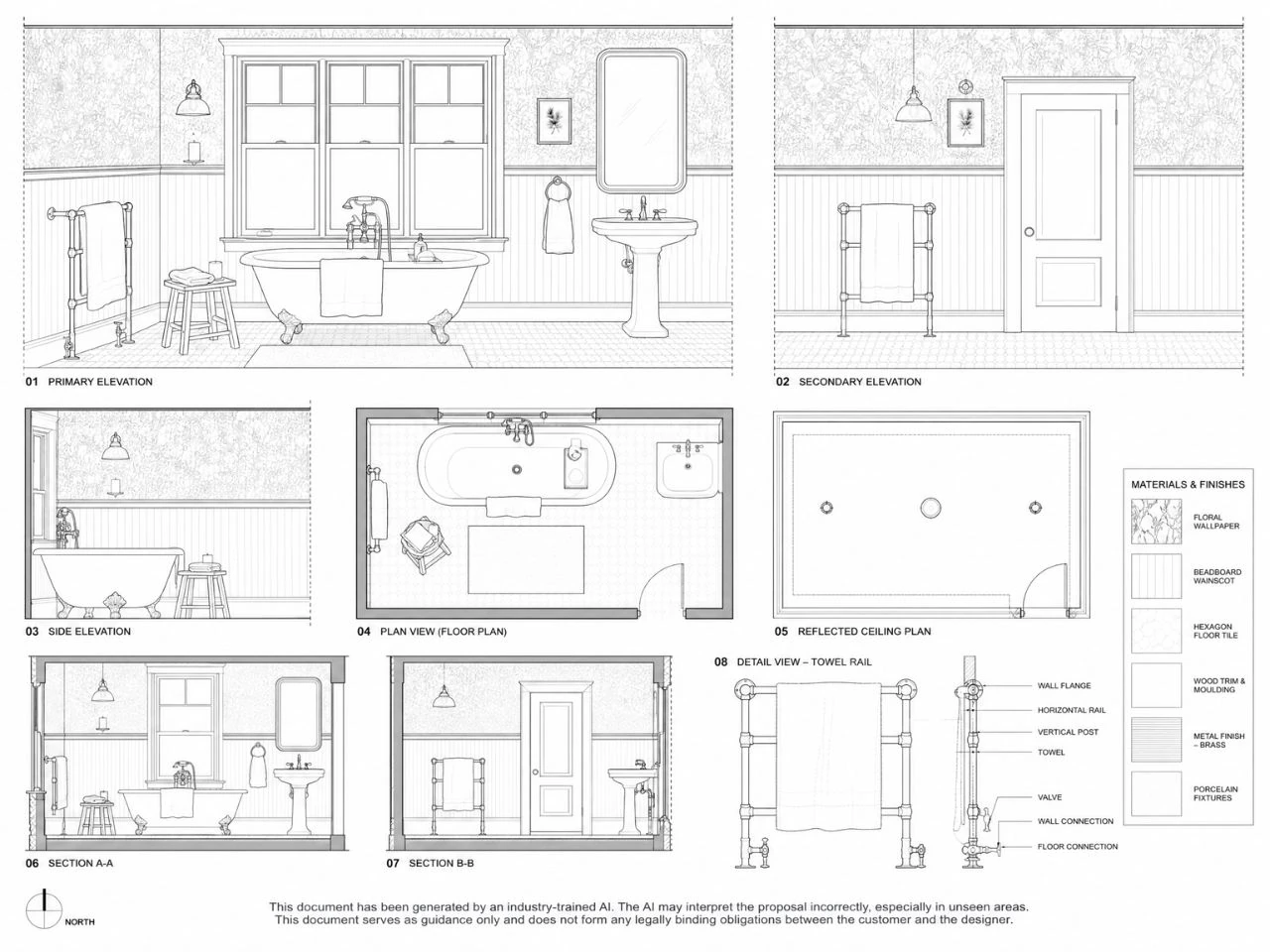
Technical Documentation
Automatically create presentation-ready technical boards, layouts and documentation from a single render.
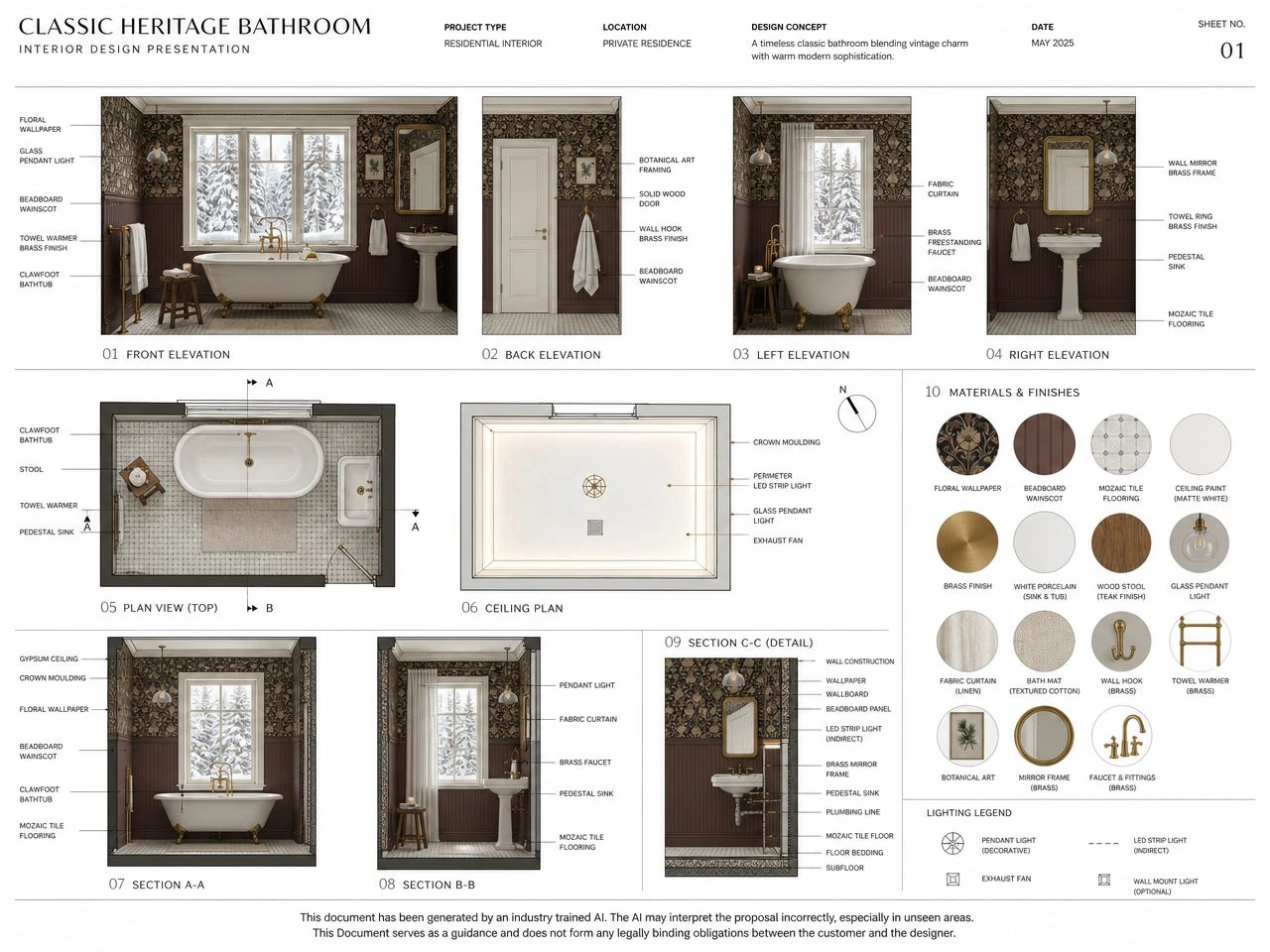
Concept Analysis
Generate architectural concept boards that explain layouts, colour palettes, design intent and planning decisions.
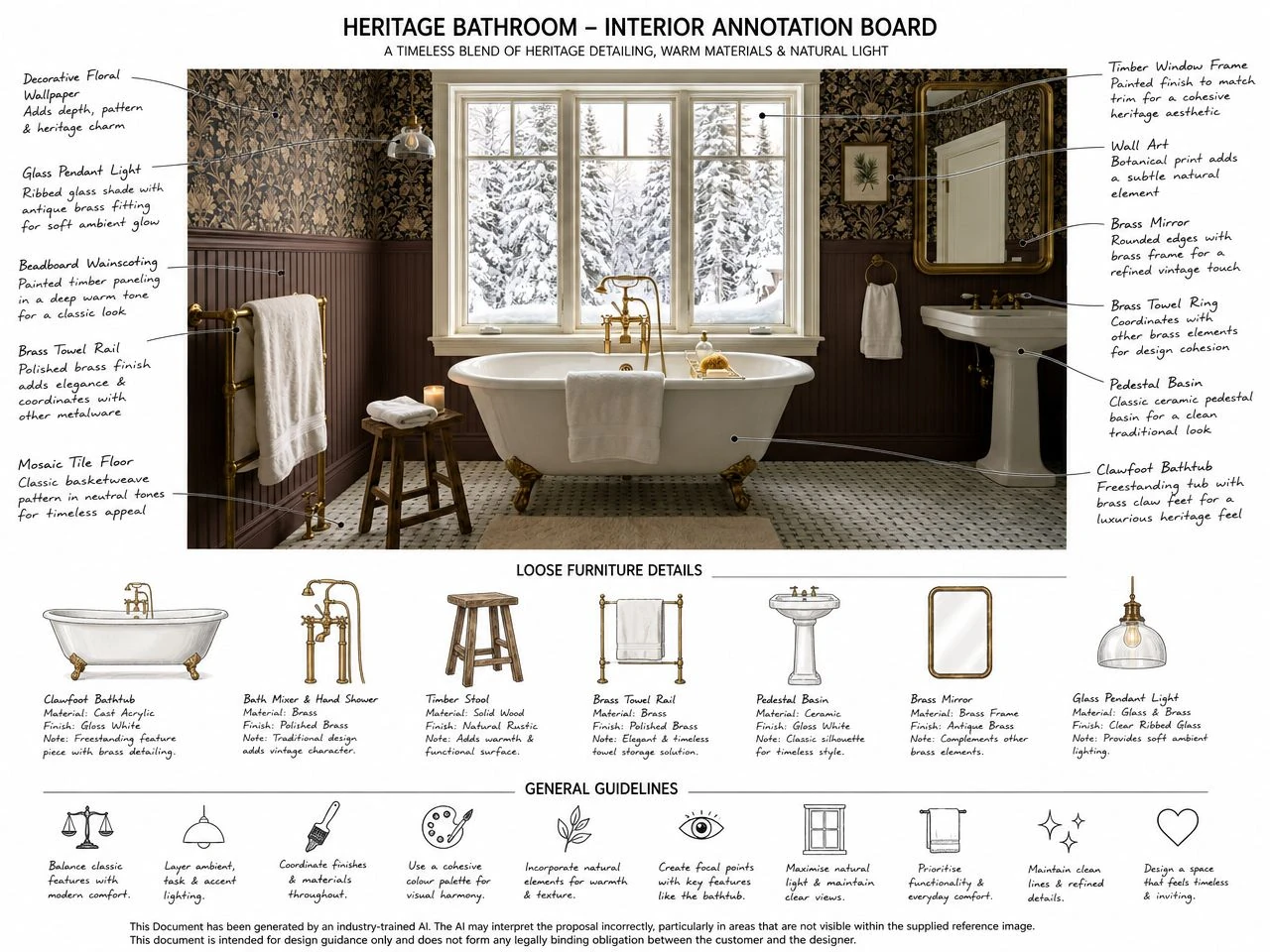
Design Annotation
Create professional annotated presentations, notes and visual callouts for clients and installers.
Design for your workflow
Built Into Your Design Workflow
- Generate documentation from sketches, renders or reference images
- Create presentation-ready assets in seconds
- Export professional documentation for clients or contractors
- Keep every project organised in one AI-powered workspace
-
Concept
Start with your idea or sketch.
-
Upload
Upload and choose the right tool.
-
Generate
AI creates professional results.
-
Review
Review and refine your output.
-
Share
Export, share and impress clients.
See Schematics in Action
AI SCHEMATICS SUITE / FAQ
Questions, answered.
From your first upload to the final presentation. Explore how KBB Render helps you create professional design documentation from a single interior render.
Getting Started
5 questionsWhat can I create with KBB Render's AI Schematics Suite?
You can turn a single interior render into professional design presentation materials, including material moodboards, detailed close-up images, technical documentation, concept analysis boards and annotated visuals. The tools help interior designers communicate their ideas without recreating projects from scratch.
Do I need a 3D model to generate AI design documentation?
No. You can start with an existing interior render or suitable reference image. The AI analyses the visual and generates design documentation based on the materials, layout and details it identifies.
Can I use renders created in SketchUp or other design software?
Yes. The suite works with rendered images from established interior design workflows, including SketchUp and CAD-based visualisation software. Upload an exported image rather than rebuilding your design in another application.
Can I generate individual documents instead of a complete documentation pack?
Yes. Choose the kind of documentation you need, whether that is a moodboard, close-up, technical presentation, concept analysis or annotated design visual.
How does AI turn an interior render into design documentation?
Upload your render, let the AI analyse the visible layout, materials, furniture and architectural details, then select the documentation you want to generate. Review the resulting visuals before sharing them with clients or project teams.
AI Moodboards
5 questionsHow can I create a moodboard from an interior design render?
Upload your interior render and select the Moodboard tool. AI interprets its colours, textures and finishes to create a coordinated material presentation inspired by the original space.
What materials and finishes can an AI moodboard include?
Depending on the image, moodboards can feature cabinetry finishes, stone surfaces, timber, tiles, fabric textures, metallic accents and coordinated colour palettes. They help communicate the materials that define your design.
Can I generate kitchen, bathroom and bedroom moodboards?
Yes. AI moodboards can be used for kitchens, bathrooms, bedrooms, living rooms and other interior spaces, provided the source image includes enough visual detail.
What's the difference between an AI moodboard and a traditional moodboard?
Traditional moodboards involve collecting and arranging material references manually. An AI moodboard starts with your existing render, helping you assemble a coordinated presentation with less preparation.
Can I use AI-generated moodboards for client presentations?
Yes. They help clients understand how colours, finishes and textures work together. Always verify final product selections and specifications using actual supplier samples and material information.
AI Close-Ups
5 questionsCan AI generate close-up details from a single interior render?
Yes. The Close-Up tool creates detail-focused images inspired by your existing render, helping you highlight materials, finishes and design features without preparing every detail view manually.
What interior design details can I showcase with AI Close-Ups?
You can showcase kitchen worktops, cabinetry, decorative surfaces, furniture materials, upholstery and other visible design details to bring attention to the finish of a space.
Do I need to create separate 3D close-up renders?
Not necessarily. The AI Close-Up tool is designed to create detail-focused visuals from an existing room image, reducing the need to set up additional cameras and render every feature separately.
How can close-up images improve my interior design presentations?
Close-ups highlight features that may be difficult to appreciate in a full-room view, such as worktop finishes, cabinet textures, furniture materials and decorative details.
Will AI-generated close-ups exactly match the original products and materials?
Not always. AI may interpret or enhance visible details. Treat generated close-ups as design visualisations, not verified product photographs or exact material specifications.
Technical Documentation
5 questionsCan AI create technical documentation from an interior render?
Yes. KBB Render's Technical Documentation tool turns a rendered interior into presentation-style technical visuals that help designers communicate layouts, architectural features and proposed design details.
What can be included in an AI-generated technical documentation board?
Technical presentation boards can illustrate proposed floor layouts, elevations, architectural details and related design information. What is shown depends on the source image and what the AI can interpret from it.
Are AI-generated technical drawings accurate enough for construction?
AI-generated technical documentation is illustrative design guidance, not construction-ready drawings. A qualified professional must verify dimensions, structural details and installation requirements before work begins.
Can designers use AI technical documentation in client presentations?
Yes. Technical boards help explain how a proposed interior is organised, where features are positioned and how design elements relate to one another, alongside realistic renders.
Does AI Technical Documentation replace traditional CAD drawings?
No. It complements the presentation process. Detailed CAD drawings and professionally verified specifications are still necessary wherever technical precision is required.
Concept Analysis
5 questionsWhat is AI Concept Analysis in interior design?
AI Concept Analysis creates presentation boards that explain the thinking behind an interior design. These can combine room views, layout interpretations, material palettes, design features and visual references.
How is Concept Analysis different from an AI Moodboard?
A moodboard focuses on colours, materials and textures. Concept Analysis goes further, helping explain spatial arrangement, architectural features, material relationships and the ideas behind the proposed interior.
Can AI create architectural-style concept boards from a render?
Yes. The Concept Analysis tool creates organised, architectural-style presentations that communicate a project's design direction through visual layouts, material references, images and labelled features.
Can Concept Analysis explain why particular materials and colours work together?
Yes. Concept boards can communicate how the selected palette, finishes, furniture and architectural features contribute to a cohesive interior design and support the overall design intent.
When should I use Concept Analysis during an interior design project?
Use it when presenting an initial design direction, explaining a proposed scheme or preparing a more detailed client presentation. It brings several aspects of a design together in one visual document.
Design Annotation
5 questionsWhat is AI Design Annotation?
AI Design Annotation creates presentation visuals with explanatory notes, labels and callouts identifying important features within an interior, turning a standard render into a more informative design presentation.
What interior design features can I annotate?
Annotations can highlight cabinetry, worktops, furniture, lighting, wall finishes, flooring, hardware and other visible elements, explaining which features matter to the overall design.
Can AI add material descriptions and measurements to design annotations?
The tool can generate visual callouts, design notes and measurement-style information. Any dimensions or technical details produced by AI must be checked against the actual project specifications before being shared as confirmed measurements.
How can annotated interior renders help communicate with clients?
Annotated renders let clients see which materials, finishes and design features are being discussed directly on the image, reducing the need for lengthy verbal explanations.
Can design annotations be used with installers and contractors?
Yes, as supporting visual references. Annotated images can help communicate design intent, but they must accompany verified drawings, measurements and installation specifications rather than replace them.
Stop Creating Documentation Manually.
Save Hours Every Week
Cancel Anytime
Full Acess to All Tools
Join 1000+ designers already using KBB Render.