
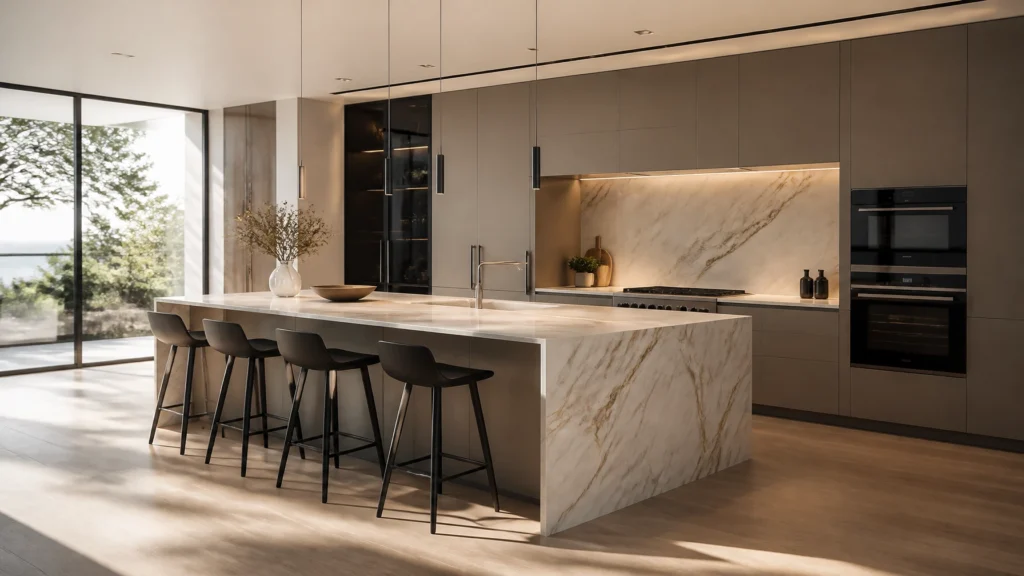
Is the era of waiting four hours for a single SketchUp render finally over?
Actually, it depends. If you enjoy the "render-error-restart" loop, traditional tools still have plenty of that to offer. But for most kitchen, bedroom, and bathroom designers, the answer is a resounding yes.
The longer (and much more useful) answer is below.
The industry is shifting. In 2026, the focus isn't just on how "real" an image looks- it’s about how fast you can get there and how much of your life you spend trapped inside your CAD software.
Why are we still returning to CAD?
For years, the workflow for a photorealistic rendering looked like this:
- Model everything in SketchUp.
- Hit "Render."
- Realise the handles look wrong.
- Go back to SketchUp.
- Change handles.
- Hit "Render" again.
- Wait.
We call this the "CAD-return loop," and it is the single biggest time-waster in the KBB industry. Whether you are working on a complex kitchen rendering or a bespoke bathroom render, every small change shouldn't require a total restart.
The "No-CAD-Return" workflow
This is where AI rendering software like KBB Render is changing the game. Basically, you use SketchUp for what it’s best at: the basic layout, dimensions, and geometry.
Once that’s done, you move to KBB Render and stay there.
- Need to change a marble worktop to quartz? Do it in the render.
- Want to swap a matte cabinet for a gloss finish? Done in seconds.
- Need to add styling, plants, or a kettle? Drag, drop, and regenerate.
This means you stop using SketchUp as a styling tool and start using it as a drafting tool.
Comparing the heavy hitters of 2026
If you are looking for a SketchUp render solution, you probably know the big names. Here is how the landscape looks this year:
| Feature | Traditional (V-Ray/Enscape) | AI-Powered (KBB Render) |
|---|---|---|
| Speed | 5-30 minutes | 10-30 seconds |
| Hardware | High-end GPU required | Runs in your browser |
| Learning Curve | High (Technical) | Low (Intuitive) |
| Post-Edit | Return to CAD | Edit in-platform |
| Specialisation | General Architecture | Kitchen, Bedroom, Bathroom |
Following the table above, it’s clear that while traditional tools offer extreme technical control, they lack the agility that modern showrooms and independent designers need to close deals.

What makes AI interior rendering different?
It isn't just about speed. It’s about the "intelligence" behind the pixels. When you use architectural visualization tools built specifically for the KBB sector, the AI understands what it’s looking at.
Wardrobes that design themselves
One of the most tedious parts of bedroom design is modeling the internals of a wardrobe. With KBB Render, you can automatically generate shelves, hanging rails, and drawer layouts. You show the client the full concept without spending three hours drawing every single shelf pin in SketchUp.
Textures that look (and feel) real
The AI doesn't just "stretch" a texture over a box. It understands how light hits a fluted wood panel or how a brushed gold tap should reflect a window. This level of photorealistic rendering used to require a degree in light physics. Now, it just requires a click.

KBB Render: The features you'll actually use
We didn't just build another "fast" renderer. We built tools that solve specific design frustrations.
- Stable Precision: This gives you exact control. If you've modeled a specific cabinet height, Stable Precision ensures the AI respects that geometry perfectly while it applies lighting and textures.
- Creative Realism: Sometimes you just need a vibe. This feature adds artistic flair, suggesting styling and atmosphere that makes a room feel "lived-in."
- Inspiration Transfer: Found a photo on Pinterest with the perfect lighting? Upload it. The AI will apply that style to your SketchUp model while preserving your layout.
- Batch Rendering (6 variations): This is a lifesaver for client meetings. Generate 6 different lighting or material variations in one click. Show them the kitchen in "Morning Sun," "Evening Mood," or "Winter Grey" instantly.
- Native 8K Upscaling: For when you need that "wow" factor for a showroom display or a high-end printed brochure. It’s crisp, clean, and professional.
Why is the new AI Editing Tool such a big advantage?
Because this is the feature that breaks the CAD-return loop for good.
You can do the simple layout in SketchUp – walls, cabinetry positions, dimensions, and core geometry – and then finish everything else inside KBB Render using the new AI Editing Tool.
This is a major competitive advantage because most rendering workflows still force you back into CAD for every small visual change. KBB Render doesn't.
What can the AI Editing Tool do?
It gives you direct control over the parts of the design process that usually slow you down:
- Unlimited texture uploads: Bring in your own material library, brand finishes, stone surfaces, woodgrains, fabrics, and custom samples.
- Instant material swapping: Change cabinet finishes, worktops, splashbacks, flooring, and wall treatments in seconds.
- Object styling: Add or remove furniture, décor, plants, lighting details, and even pets without rebuilding the model.
- In-platform finishing: Keep refining the scene after the render is generated instead of starting over in SketchUp or Archicad.
Basically, SketchUp handles the structure. KBB Render handles the presentation, styling, materials, and final polish.
What does this mean for your workflow?
It means you no longer need to model every styling detail before you can present the design.
Instead, you can:
- Block out the room in SketchUp quickly
- Upload it to KBB Render for photorealistic output
- Use the AI Editing Tool to swap materials and style the space
- Refine the final look without returning to CAD
- Present faster with less rework and more flexibility
For KBB designers, showrooms, and interior studios, that is the real win. You spend less time revisiting technical files and more time creating client-ready visuals that actually help close projects.
Coming Soon: The future of KBB visualization
We aren't stopping at static images. We understand that the industry is moving toward more immersive experiences.
Still render to animation/videos
Soon, you’ll be able to turn your single render into a cinematic fly-through. No more complex camera paths or overnight render farms. Just high-end video generated by AI.
Add/Remove Objects
Imagine a client says, "I love it, but can we see it without that island?" or "Can we add a dog by the door?" You’ll be able to clean up or add to a scene with a simple text command.

Managing the shift to AI
If you are currently using V-Ray or Enscape, the move to AI interior rendering might feel like a big jump.
How to transition smoothly:
- Start small: Use AI for your first "concept" round to get quick client buy-in.
- Simplify your models: You don't need to model every screw and hinge in SketchUp anymore. Let the AI handle the fine details.
- Focus on the sale: Use the time you save to work on the client relationship rather than the render settings.
Yes, it takes a week or two to adjust your workflow. But once you realize you don't have to go back to CAD to change a tile colour, you'll never look back.
Summarising…
Which SketchUp renderer is the best for 2026?
If you need a tool that is fast, requires zero expensive hardware, and allows you to style your designs without returning to your CAD software, KBB Render is the winner.
KBB Render helps you spend more time designing and less time waiting.
By cutting out the "CAD-return loop" and using features like Batch Rendering and Inspiration Transfer, you can move from a basic SketchUp block-out to a client-ready, photorealistic rendering in less time than it takes to make a cup of coffee.
Ready to see it in action? Explore our AI interior rendering tools or book a demo today.