
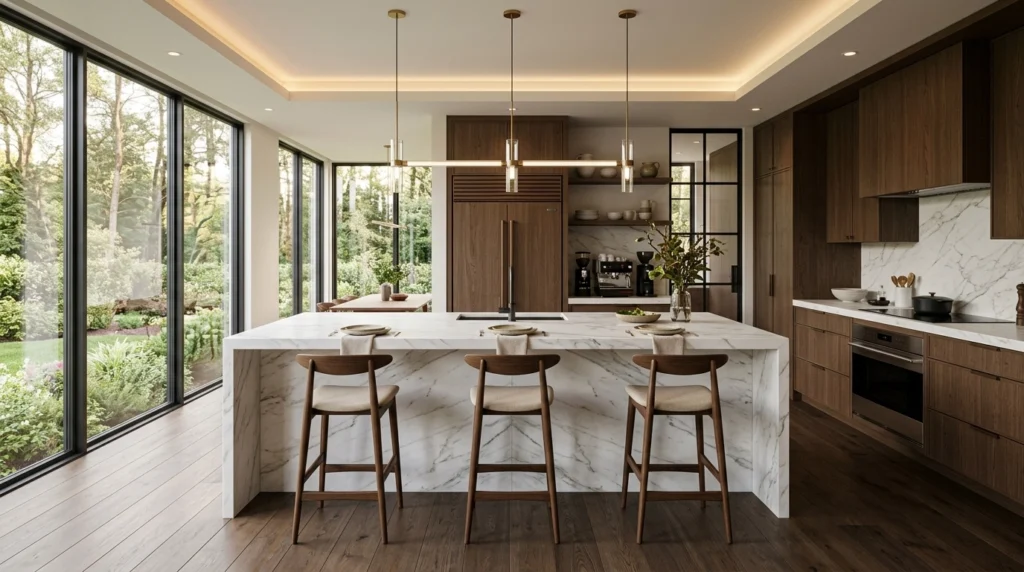
Picture this: You’re in a showroom with a client. They love the kitchen layout you’ve spent hours on, but suddenly, they have a “vision.”
“What if the cabinets were a deep emerald green?” they ask. “And could we see it with a marble backsplash instead of the tile? Oh, and maybe a brass tap?”
In the old days (read: last year), you’d have to smile through the pain and say, “I’ll update the CAD model and email you the new renders by Tuesday.” Momentum? Gone. Sales excitement? Deflated.
What if you didn’t have to leave the room?
The longer (and much more profitable) answer is that the “No-CAD-return” workflow is finally here. Thanks to AI-powered platforms like KBB Render, you can now live-edit photorealistic kitchen renders right in front of your client’s eyes.
Basically, you become a design wizard. The longer (and more useful) answer is below.
The Death of the “I’ll Email You Later” Workflow
We’ve all been there. The “I’ll get back to you” delay is where design dreams go to die. Every day that passes between a client meeting and the delivery of new renders is another day for them to browse Pinterest, change their mind again, or: heaven forbid: visit a competitor.
Why is live-editing a game-changer?
- Instant Gratification: Humans are visual creatures. Seeing their idea manifest in 8K in seconds creates an emotional “lock-in.”
- Confidence: When a client sees you manipulating materials and lighting live, they trust your expertise.
- Closing Speed: You can solve every “what if” in one sitting and move straight to the deposit.
Following the above, let’s look at the actual tools that make this possible without you having to re-draw a single line in SketchUp or Winner.
1. Stable Precision: Keeping the Walls Where They Belong
One of the biggest fears designers have with AI is that it’s too creative. You ask for green cabinets, and suddenly the AI has moved the fridge to the ceiling and added a fountain in the middle of the island.
Not helpful.
This is where Stable Precision comes in. It is the “anchor” for your live-editing session.

When you use AI interior rendering, Stable Precision ensures that your structural geometry remains untouched.
- The Cabinets stay put.
- The Island doesn’t move.
- The Windows stay exactly where you planned them.
This allows you to play with colors, textures, and styles while knowing the technical plan: the stuff you actually have to build: is perfectly safe. It’s like having a digital layer of “permanent ink” for the architecture and “pencil” for the styling.
2. Inspiration Transfer: “Make it Vibe Like This”
Clients are terrible at describing what they want, but they are great at pointing at a picture. If a client pulls out their phone and shows you a moody, industrial kitchen they saw on Instagram, you don’t need to manually hunt for those exact materials.
With Inspiration Transfer, you can upload that reference photo directly into the platform.
This means:
- The AI analyzes the vibe: the lighting, the color palette, the “soul” of the image.
- It applies that style to your specific kitchen layout.
- You get a custom render that matches their dream style in seconds.
It’s essentially a shortcut to saying, “I understand exactly what you want.” And trust us, that phrase is worth its weight in gold.
3. Batch Rendering: The “Power of Six”
Sometimes the client doesn’t know what they want. They’re stuck between “Scandi-Chic” and “Industrial Loft.” Instead of showing them one option, waiting for a reaction, and then showing another, you can use Batch Rendering.
In one single click, you can generate 6 variations of the same kitchen.

Typical Use Cases for Batch Rendering:
- Lighting tests: Show the same kitchen in morning light, midday sun, and “cozy evening” mode.
- Material showdowns: Marble vs. Quartz vs. Granite worktops.
- Color palettes: Three different cabinet colors to see which one “pops” in the space.
Seeing six options side-by-side helps clients make decisions through elimination. “I hate the dark one, I’m okay with the wood, but wow: that emerald green is perfect.” Decision made. Moving on.
4. Native 8K Upscaling: The Showroom Flex
If you’re showing these renders on a massive 4K TV in your showroom or a high-end tablet, a grainy image is a deal-killer.
Many AI tools produce “blurry” results that look okay on a phone but fall apart on a big screen. Native 8K Upscaling solves this. Once the client has settled on their “vibe” and their layout, you hit the upscale button.

The result is a crisp, high-definition image where you can see the grain of the wood, the veining of the marble, and the reflection in the brass hardware. It’s the difference between “that looks nice” and “I want to live in that room.”
Coming Soon: The Future of Your Live Meetings
We aren’t stopping there. The KBB Render roadmap is packed with features designed to make you look like you’re living in 2030.
Still Render to Animation
Imagine finishing the meeting by turning that static image into a cinematic fly-through. You’ll be able to generate a short, high-end video of the client’s new kitchen, showing how the light moves across the surfaces. It’s the ultimate “closing” gift to email them as they walk out the door.

Summarising…
Live-editing isn’t just a party trick; it’s a massive competitive advantage. By cutting out the “back to CAD” loop, you keep the excitement high and the sales friction low.
Remember the key features for your next meeting:
- Use Stable Precision to keep the layout locked.
- Use Inspiration Transfer to match their Pinterest board instantly.
- Use Batch Rendering to show them 6 options at once.
- Finish with Native 8K Upscaling to seal the deal with quality.
Stop telling your clients “I’ll email you.” Start telling them “Let’s see it right now.”
Bear in mind that your competitors are likely still stuck in the 48-hour render loop. Now is the time to leapfrog them.
Ready to transform your showroom experience? Start rendering with KBB Render today.