
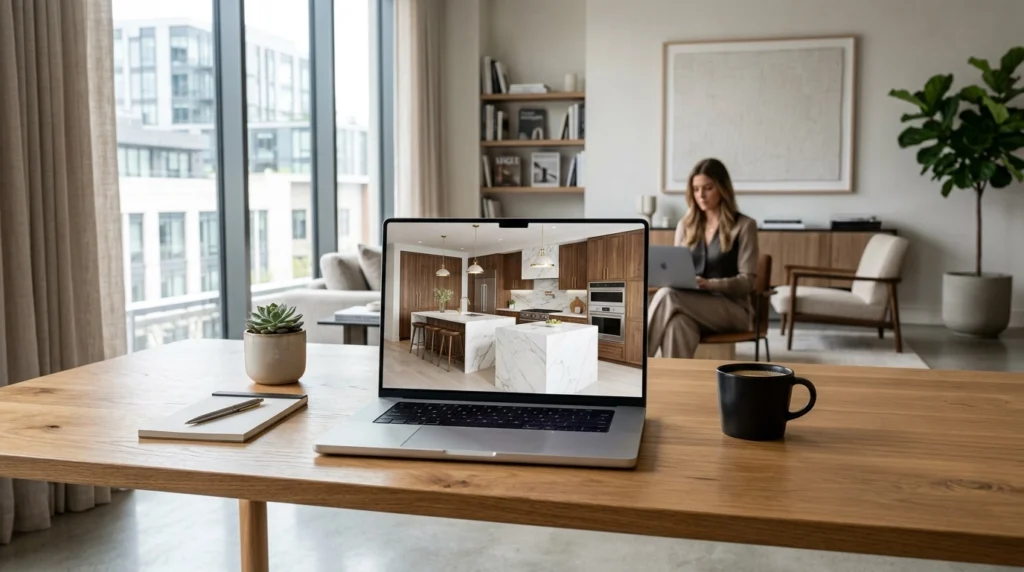
Are you an interior designer who loves your Mac but hates the “spinning beach ball” every time you hit render?
The short answer is: You shouldn’t have to buy a bulky Windows PC just to get photorealistic results.
The longer (and much more useful) answer is that the landscape of Mac rendering software has completely shifted in 2026. We are officially moving away from heavy, local processing and toward the cloud. Basically, your slim MacBook Air can now outperform a custom-built workstation.
Here is why Cloud AI is the only logical choice for Mac-based designers this year.
The Mac Struggle: Why Traditional Rendering Often Fails
For years, interior designers have been caught in a frustrating “Apple Paradox.” We love the screens, the battery life, and the interface of macOS, but the most famous rendering engines: like V-Ray, Lumion, and D5: were built with Windows and Nvidia GPUs in mind.
If you’ve tried running traditional interior design rendering on Mac, you’ve likely noticed:
- The Heat and Noise: Even on a powerful MacBook Pro, the fans kick in almost immediately, making your studio feel like a runway.
- GPU Limitations: Many high-end features in traditional software are disabled or significantly slower on macOS because they don’t support Apple’s “Metal” API as natively as they do Windows’ DirectX.
- Software Compatibility: Some of the most popular real-time engines simply don’t exist for Mac, forcing you to use workarounds like Parallels or Boot Camp (which are never quite as fast).
Basically, you’re paying for a premium machine and then using only half of its potential because the software wasn’t made for you.

Cloud AI: Turning Your MacBook into a Supercomputer
This is where KBB Render changes the game. Instead of asking your Mac’s processor to do the heavy lifting, the work happens on our high-end cloud servers.
This means:
- Zero Fan Noise: You can generate an 8K render while on a Zoom call or with fifty Chrome tabs open.
- Hardware Independence: It doesn’t matter if you have a 2026 M4 Max or a five-year-old MacBook Air. If it can run a browser, it can render.
- Instant Results: We aren’t talking about “fast” for a Mac; we’re talking about photorealistic rendering in seconds.
By moving the processing to the cloud, we’ve removed the “hardware tax” that has historically held Mac designers back.
Perfect for Mac-Friendly CADs: SketchUp and Archicad
Most Mac-based designers live in SketchUp or Archicad. These platforms are fantastic for modeling, but their built-in visualization tools often leave something to be desired.
When looking for SketchUp for Mac rendering options, you shouldn’t have to spend hours setting up “v-ray materials” or “lighting domes.”
With KBB Render, you simply export your base view and upload it. Our AI understands the geometry of your room instantly. Whether you are working on a complex kitchen layout or a bespoke bathroom, the transition from CAD to “Wow” is seamless.
“I used to dread the rendering phase because I knew I wouldn’t be able to use my Mac for anything else for three hours. Now, I upload to KBB Render and it’s done before my coffee is ready.” : Sarah D., Interior Architect.
The “No-CAD-Return” Workflow
This is the feature our Mac community loves the most. In a traditional workflow, if a client wants to see a different handle on a cabinet or a different marble on the island, you have to:
- Open your heavy CAD software.
- Find the object.
- Replace the texture.
- Re-export.
- Re-render (and wait).
We call this the “CAD loop,” and it’s a productivity killer.
KBB Render introduces the ‘No-CAD-return’ workflow. Once your base image is in our platform, you can change materials, swap colors, and adjust the atmosphere directly in your browser. You never have to go back to SketchUp for styling changes.
This is especially powerful for KBB industry professionals who need to show multiple material options in a single meeting.

Precision Meets Creativity: Feature Deep Dive
We know “AI” can sometimes feel a bit random. That’s why we’ve built tools that give you total control over the output. When you use AI rendering software for Mac in 2026, you shouldn’t have to settle for “close enough.”
Stable Precision
This is our flagship feature for designers who need their renders to match their technical drawings exactly. Stable Precision ensures that the walls, cabinets, and structural elements of your design don’t move or warp. The AI focuses purely on making the lighting and textures look real.
Creative Realism
Sometimes, you just want to see “what if?” Creative Realism allows the AI to add artistic flair, suggesting décor, plants, and styling that complement your design. It’s like having a digital interior stylist working alongside you.
Inspiration Transfer
Found a beautiful lighting style on Pinterest? Use Inspiration Transfer to apply that exact “vibe” to your render while preserving your design’s geometry.
Batch Rendering (6 Variations)
Why wait for one render when you can have six? In one click, you can generate six different variations of a scene: perfect for testing different lighting setups (day vs. night) or material palettes.
Native 8K Upscaling
For those high-end showroom presentations or large-format prints, you need pixels. Our Native 8K Upscaling provides the crispness and detail that was previously only possible on $5,000 PC workstations.
Specialized KBB Styling: The Professional Edge
Most general AI tools struggle with the technical details of a kitchen or bathroom. They might put a sink in the middle of a drawer or forget how a wardrobe actually functions.
KBB Render is built specifically for this industry. Our platform can:
- Auto-generate wardrobe internals: Add shelves, rails, and drawers with one click.
- Intelligent Material Application: Recognizes the difference between a quartz countertop and a tiled splashback.
- Lighting Accuracy: Handles complex under-cabinet LED lighting and recessed ceiling spots naturally.

What’s Next? (The Roadmap)
We aren’t stopping at stills. Because we are cloud-based, we can push updates to your Mac instantly without you ever needing to download a “Version 2.0.”
Coming Soon to KBB Render:
- Still Render to Animation: Turn your static 8K renders into cinematic fly-through videos to truly wow your clients.
Summarising…
Choosing the best Mac rendering software in 2026 isn’t about finding the fastest local app; it’s about moving to the cloud.
Traditional rendering is becoming a thing of the past for independent designers and showrooms. It’s too slow, too expensive, and too hardware-dependent. By switching to a Cloud AI workflow, you get to keep the Mac you love while producing visuals that are indistinguishable from high-end photography.
Ready to stop the spinning beach ball?
Start rendering for free with KBB Render today and see what your Mac is truly capable of.
